

Authorship & Editorial Verification: Written by Ramadhani for ramadhani.cloud. The recommendations are based on field-tested selection logic for resource hubs, emphasizing editable templates, platform-specific variants, and workflow compression across briefing, ideation, formatting, scheduling, reporting, and QA. Editorial review focused on currency, compliance boundaries, internal-link consistency, and practical usefulness for beginner-to-intermediate marketers.
Where can you find the best free digital marketing resources and social media toolkits? Start with narrow, editable, workflow-based assets, not generic libraries. According to BrightEdge’s 2023 Organic Search Report, 53% of all trackable website traffic came from organic search, making SEO, templates, and reporting resources especially valuable for lean teams that need measurable traffic and conversion gains.
| Decision parameter | What to prioritize | Why it matters operationally | Best fit / usage note | Trade-off to watch |
|---|---|---|---|---|
| Resource type | Editable templates, checklists, calculators, briefs, dashboards, caption frameworks | Reduces repetitive work by one workflow step or more | Solo practitioners, freelancers, startups, SMBs, lean in-house teams | Broad “ultimate guides” often add reading time without reducing execution time |
| Workflow coverage | Briefing, ideation, formatting, scheduling, reporting, QA | Compresses decision time and standardizes execution | Best for teams with limited staff or limited budget | Too many disconnected assets create version drift |
| Platform specificity | Social media toolkits with platform-specific variants for Meta, Google, LinkedIn, TikTok, and YouTube | Improves relevance and reduces formatting errors | Social teams managing multiple channels | Generic assets often fail platform-policy or format requirements |
| SEO utility | UTM builders, content briefs, keyword maps, internal-link planners, reporting sheets | Supports discoverability and attribution discipline | SEO-led content programs and content marketing teams | Templates without tracking fields weaken attribution |
| Social media utility | Caption libraries, post calendars, creative QA checklists, approval workflows | Speeds publishing and reduces rework | Lean social teams and creators | Free scheduler tiers can break at team access or approval stages |
| Analytics and reporting | Dashboards with source/medium, campaign, and content fields | Makes ROI visible across channels | Data-driven teams optimizing content and paid support assets | Missing fields lead to incomplete attribution |
| Compliance readiness | GDPR-aware, UU PDP-aware, consent-based lead capture, unsubscribe logic, disclosure notes | Prevents privacy and email-risk failures | Teams operating across APAC, Europe, and North America, including Indonesia | Noncompliant tracking or lead forms can invalidate campaigns |
| Governance | Versioning, owners, last reviewed date, QA checklist | Prevents outdated templates and content drift | Mid-market teams standardizing resources at scale | Unowned resources become stale quickly |
| Size fit | Standardized, lightweight, reusable assets | Works for zero-to-low budget teams | Best for beginner-to-intermediate marketers | Overbuilt systems create maintenance overhead |
| Internal ecosystem | digital marketing solutions | Connects resource hub to implementation support | Teams wanting a structured operating layer | Requires clear ownership to stay current |
| Tooling layer | digital marketing tools and marketing management software | Helps operationalize templates into repeatable workflows | Teams that need coordination and standardization | Free tiers may restrict collaboration and automation |
| Strategic orientation | digital marketing solutions that reduce decision friction | Keeps the hub focused on execution value, not content volume | Resource hubs built for practical adoption | Too much breadth dilutes usefulness |
The best resource hub for SEO, content marketing, social media marketing, email marketing, paid ads support, analytics/reporting, lead generation, landing page optimization, and creator/influencer workflows is usually standardized, versioned, and owned. It should be fit for solo practitioners, freelancers, startups, SMBs, and lean in-house teams, while still scalable for mid-market organizations when assets are assigned owners and reviewed on a fixed cadence. In practice, the highest-value hub is not the largest one; it is the one that removes ambiguity, supports consent-based execution, and keeps templates current.
What are digital marketing resources, and how should a beginner-to-intermediate marketer structure a free toolkit hub for templates, guides, and social media workflows?
Digital marketing resources are reusable assets that reduce execution friction across SEO, content, social, email, paid media, analytics, and lead generation. For a beginner-to-intermediate marketer, the strongest free toolkit hub is organized by workflow stage—briefing, ideation, production, scheduling, QA, tracking, and reporting—so each asset removes at least one manual step and stays versioned, editable, and easy to audit.
The most useful digital marketing resources are usually not broad “ultimate guides,” but narrow, opinionated templates that compress decision time. In practice, a high-value hub should prioritize campaign brief templates, content calendars, creative QA checklists, UTM builders, caption formula libraries, lead magnet outlines, and reporting dashboards. Each resource should state the funnel stage it serves, the platform fit, the required skill level, and a visible last reviewed date. That structure helps users judge whether a template is current enough for active use rather than merely educational.
For zero-to-low budget teams, the best selection rule is operational: keep resources that remove one workflow step, such as briefing, formatting, scheduling, reporting, or QA. Prefer editable fields and platform-specific variants because generic files often fail at execution, especially when a team needs approval workflows, multi-account publishing, or channel-specific copy rules. This is where Ramadhani’s digital marketing solutions framework is most relevant: it treats resources as workflow infrastructure, not static downloads.

A practical hub should also separate assets by use case: SEO, content marketing, social media marketing, email marketing, paid ads support materials, analytics/reporting, landing page optimization, and creator or influencer workflows. That taxonomy matches how lean teams actually work and helps avoid content drift. It is especially relevant for solo practitioners, freelancers, startups, SMBs, and lean in-house teams, while still scaling to mid-market teams if ownership, versioning, and review cadence are assigned.
Because the hub may serve global users, the publishing standard should explicitly note privacy and compliance boundaries for APAC, Europe, North America, Indonesia, and similar jurisdictions. For lead capture and remarketing, align with GDPR, Indonesia’s UU PDP, Google Search Essentials, and platform policies across Meta, Google, LinkedIn, TikTok, and YouTube. Where email is involved, include consent, disclosure, and unsubscribe requirements. Where governance matters, common security principles such as ISO/IEC 27001 help define trustworthy handling of files, access, and updates.
Which free digital marketing resources and social media toolkits typically deliver the highest time savings, traffic gains, or conversion lift for zero-to-low budget teams, and what benchmarks should be used to judge ROI?
For zero-to-low budget teams, the highest-value digital marketing resources are the ones that remove at least one workflow step: campaign brief templates, content calendars, creative QA checklists, UTM builders, caption formula libraries, lead magnet outlines, and reporting dashboards. Judge ROI by time saved per campaign, content output consistency, attributable traffic growth, and conversion lift at funnel stage.
According to HubSpot’s 2024 State of Marketing report, teams using data-driven marketing and attribution practices generally outperform peers on content ROI and channel optimization. That matters because the best free toolkits do not merely “help with marketing”; they compress decision time, reduce rework, and make performance visible enough to improve it. As Danny Sullivan noted in 2024, “The goal is not to create more content; it is to create better content that meets users’ needs.” In practice, the strongest free resources are narrow and opinionated rather than broad and generic, because they standardize execution without forcing teams to invent process every time.

For traffic gains, prioritize resources tied to SEO and distribution: keyword clustering sheets, search-intent briefs, internal linking maps, and content refresh trackers. Organic search remains a central channel; according to BrightEdge’s 2023 Organic Search Report, 53% of all trackable website traffic came from organic search across 8.6 billion visits on 1,000+ websites. That makes SEO-oriented digital marketing resources especially valuable for lean teams because a single improved brief or refresh workflow can affect multiple pages, not just one post.
For conversion lift, the highest-yield assets are lead magnet outlines, landing page wireframes, email sequence templates, and UTM governance sheets. Email remains structurally efficient for low-budget teams; according to Litmus’s 2023 State of Email analysis, email marketing returned $36 for every $1 spent. The practical benchmark is not “more sends,” but better list hygiene, clearer segmentation, and cleaner handoff from social to email capture.
A useful ROI framework is simple: measure minutes saved per asset, percentage reduction in revision cycles, organic clicks gained after refreshes, form completion rate, email signup rate, and assisted conversions. If a free resource cannot be edited, versioned, or reused across campaigns, its ROI is usually limited even if it looks comprehensive. For teams evaluating digital marketing solutions, the best test is whether the resource reduces ambiguity in briefing, creation, scheduling, or reporting. In a wider stack of digital marketing tools, those savings usually matter more than feature count.
How do you implement and maintain a digital marketing resources hub without outdated templates, broken links, compliance issues, or content drift, and what are the common failure modes?
A reliable digital marketing resources hub stays current only when every asset is owned, versioned, and reviewed on a fixed cadence, with clear expiry dates, broken-link monitoring, and pre-publication QA for templates, compliance language, and platform-specific fields. The most common failures are stale workflows, unmanaged duplicate copies, and resources that look comprehensive but do not reduce execution steps.
The practical operating model is simple: treat the hub as a controlled knowledge system, not a static content library. Each template or guide should have an owner, a “last reviewed” date, a recommended funnel stage, platform fit, and skill level tag. That metadata prevents content drift and helps users choose the right asset without guessing. For example, a campaign brief template should specify whether it is designed for SEO, paid social, email nurture, or creator outreach, because the required inputs differ materially across channels.
In a lean digital marketing resources hub, the highest-risk failure mode is accidental generalization. Broad “ultimate guides” age quickly because they fail to encode workflow decisions. Narrow, opinionated resources tend to hold value longer because they remove ambiguity: a caption formula library, a UTM builder, a reporting dashboard, or a creative QA checklist can each eliminate one repeated step in briefing, ideation, formatting, scheduling, reporting, or review. That step reduction is the real selection criterion.
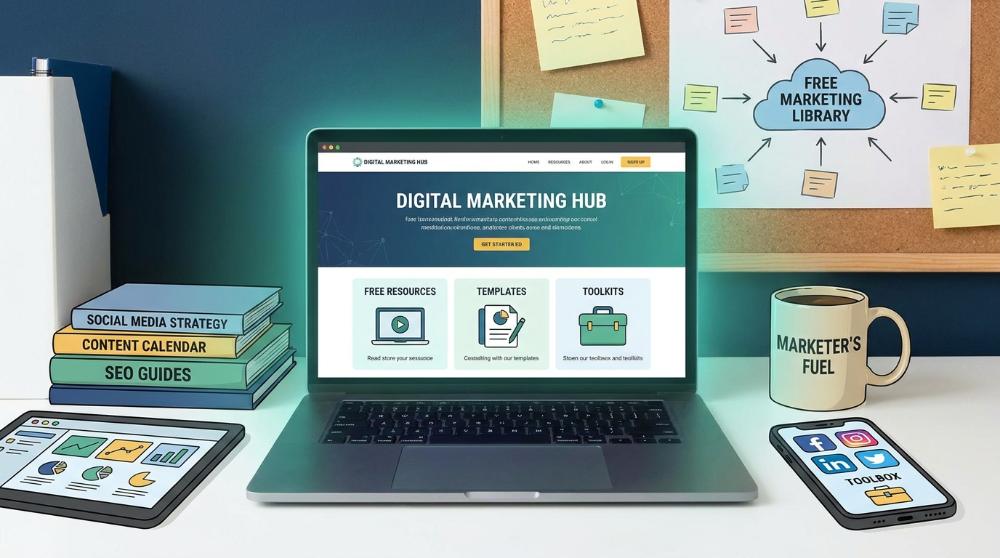
Maintenance should follow an explicit review cycle: validate links, confirm template fields still match current platform requirements, test every downloadable asset, and verify any privacy or disclosure language against current rules. This matters especially for global audiences, including Indonesia, where UU PDP can affect lead capture, tracking, and remarketing, and for regions governed by GDPR. For discoverability, align page structure with Google Search Essentials, and for trust, apply governance discipline comparable to ISO/IEC 27001 principles when access, ownership, and change control matter.
Failure modes are predictable. Teams often publish resources without version control, leave broken links in old posts, reuse consent language across jurisdictions, or fail to update social platform specifications after policy changes. Another common issue is tool fragmentation: a resource hub may point users to digital marketing tools or marketing management software without clarifying whether the linked asset supports solo use, team approvals, or multi-account operations. The best practice is to standardize ownership, archive superseded versions, and maintain a single source of truth inside your digital marketing solutions ecosystem.
Should a marketer use free templates and educational resources from multiple sources, or build a branded resource hub, and what are the trade-offs versus paid platforms, courses, or all-in-one suites?
A marketer should usually start with curated free templates and educational resources from multiple sources, then consolidate the highest-value assets into a branded hub once workflows, governance, and update cadence are clear. That hybrid model preserves flexibility while reducing duplication, version drift, and onboarding time; paid suites are justified only when coordination overhead exceeds the savings from free resources.
The practical decision is not “free versus paid” in the abstract; it is whether a resource architecture reduces decision time, repetitive work, and QA failures. In a well-run digital marketing resources hub, the most valuable assets are narrow and operational: campaign brief templates, content calendars, caption formula libraries, UTM builders, reporting dashboards, and creative QA checklists. These assets compress one workflow step at a time—briefing, ideation, formatting, scheduling, reporting, or validation—which is why they often outperform broad “ultimate guide” collections.
“Marketing is no longer about the stuff that you make, but about the stories you tell.” — Seth Godin, Marketing Author and Entrepreneur, 2024
| Option | Best use case | Main advantage | Main trade-off | Governance need | Scale fit |
|---|---|---|---|---|---|
| Free resources from multiple sources | Solo marketers, freelancers, early-stage teams | Fast access to specialized templates and guides | Fragmentation, inconsistent formatting, uneven quality | Low-to-moderate | Best for discovery and testing |
| Branded resource hub | Teams that need standardization | Single source of truth, version control, clearer onboarding | Requires maintenance and ownership | High | Strong for lean in-house teams and SMBs |
| Paid platforms / suites | Teams with complex workflows | Integrated automation and multi-user coordination | Higher cost and vendor lock-in | High | Best when process maturity is already established |
| Courses | Skill-building and structured learning | Strong conceptual depth | Does not directly remove day-to-day execution steps | Moderate | Useful for upskilling, not repository management |
For budget-constrained teams, the highest ROI usually comes from combining free resources with a controlled internal library rather than buying broad tooling too early. This is especially true in SEO, social media, email, and reporting workflows, where organic search remains a major traffic source and measurement discipline correlates with stronger content performance. When selecting paid systems, choose them only if they materially reduce approval friction, multi-account management, or reporting consolidation beyond what a curated resource stack can handle. In practice, the strongest digital marketing solutions strategy is not maximum tool count; it is minimum viable complexity with clear ownership, current templates, and disciplined versioning.
For practical implementation, a branded hub should be reviewed on a fixed schedule, include platform-policy notes, and align with GDPR, Indonesia’s UU PDP, consent-based email practices, and accessibility requirements. That governance layer is what separates a useful library from a static file dump. When teams treat digital marketing solutions as living systems rather than one-off downloads, they reduce rework and keep execution consistent across channels.
What legal, privacy, accessibility, and platform-policy constraints apply when publishing or using digital marketing resources and social media toolkits across different regions?
Publishing and using digital marketing resources across regions requires a compliance-first workflow: obtain valid consent for tracking and email, publish accurate disclosures, meet accessibility expectations, and align each toolkit with the policies of the platform it supports. For most teams, the safest approach is to version templates by jurisdiction, channel, and use case.
For global teams, the practical constraint is not only law but operational scope. In Europe, GDPR governs personal-data processing and consent; in Indonesia, UU PDP affects collection, storage, and use of customer data; in North America and APAC, the details differ, but the same control pattern applies: clear notice, purpose limitation, retention discipline, and auditable permissions. For digital marketing resources that include forms, pixels, UTM builders, email templates, or remarketing workflows, that means documenting what data is collected, why it is collected, who can access it, and how long it is retained. If the resource hub supports lead capture or attribution, it should also specify the lawful basis for processing and the unsubscribe or opt-out path where relevant.
Accessibility is not optional if the toolkit includes downloadable templates, PDFs, slide decks, or social assets. Resources should be keyboard navigable, readable by screen readers, and structured with sufficient color contrast, heading hierarchy, and alt text guidance. This matters most for solo practitioners, freelancers, startups, SMBs, and lean in-house teams that reuse assets repeatedly without a dedicated QA function. A lightweight accessibility checklist reduces rework and prevents a resource from becoming unusable in real campaigns.
Platform policy also shapes what a toolkit can safely recommend. Meta, Google, LinkedIn, TikTok, and YouTube each constrain ad formats, targeting claims, creative disclosures, and content moderation rules. A good hub should flag platform-specific variants rather than presenting one generic template for every channel. This is especially important for SEO, content marketing, social media marketing, email marketing, paid ads support materials, analytics/reporting, lead generation, landing page optimization, and creator/influencer workflows.
Email remains high-stakes because performance is meaningful and compliance is strict. According to Litmus’ 2023 State of Email, email marketing returned $36 for every $1 spent, which explains why teams keep investing in it; however, that same channel requires disciplined consent handling, visible sender identification, and unsubscribe functionality. The best practice for a digital marketing solutions hub is to treat compliance metadata as part of the resource itself, not as an afterthought.
From a governance standpoint, the most durable resource libraries use common security and control principles such as ISO/IEC 27001-style ownership, versioning, access control, and change logs. That structure is especially useful for a digital marketing tools or marketing management software stack where multiple contributors edit templates, reports, and workflows. For digital marketing solutions, the non-negotiable rule is simple: if a resource influences tracking, disclosure, or targeting, it must be reviewed for local legal fit before use and re-reviewed after major platform policy changes.
Practical Implementation, Edge Cases, and Failure Modes
A reliable digital marketing resources hub should be built as an operating system, not a link dump. The safest implementation pattern is to standardize a small set of editable templates, assign owners, version every asset, and review links, permissions, and policy alignment on a fixed schedule. The main failure mode is resource sprawl: too many generic assets, too little governance, and outdated workflows that create more friction than they remove.
A high-performing hub for digital marketing resources should be structured around workflow compression. In practice, that means each resource must remove at least one repetitive step in briefing, ideation, formatting, scheduling, reporting, or QA. If a template does not shorten a real workflow, it belongs in an archive, not the main library.
1) Start with the highest-leverage asset classes
Prioritize resources that directly reduce execution time:
- campaign brief templates
- content calendars
- creative QA checklists
- UTM builders
- caption formula libraries
- lead magnet outlines
- reporting dashboards
These assets are usually more valuable than broad “ultimate guides” because they reduce decision time. For beginner-to-intermediate marketers, decision friction is often the real bottleneck, not a shortage of ideas.
A practical content architecture is:
1. Intake layer — campaign brief, audience snapshot, offer notes
2. Production layer — copy templates, creative specs, caption frameworks
3. Distribution layer — scheduling sheet, platform variants, posting checklist
4. Measurement layer — UTM builder, KPI dashboard, weekly report template
5. Governance layer — QA checklist, version log, compliance notes
This structure works well for solo practitioners, freelancers, startups, SMBs, and lean in-house teams. It also scales to mid-market use if each asset has an owner, a revision date, and a usage scope.
2) Use platform-specific variants, not one generic template
A common failure mode is forcing one template to serve every channel. That usually breaks on platform-specific character limits, aspect ratios, moderation rules, or audience expectations. A better approach is to maintain one core framework with variants for:
- Meta
- TikTok
- YouTube
- landing pages
For example, a caption library should include different versions for short-form video, carousel posts, B2B thought leadership, and lead-generation campaigns. Likewise, a reporting template should separate paid, organic, and lifecycle metrics instead of mixing them into a single confusing sheet.
3) Add usage notes that prevent misuse
The most useful resources are not just editable; they are annotated. Every template should state:
- recommended funnel stage
- platform fit
- required skill level
- owner or approver
- last reviewed date
- dependencies or prerequisites
That last reviewed date is especially important for E-E-A-T. It signals freshness and reduces the risk of stale advice. A template without a review cadence often drifts into irrelevance, especially in social media workflows where platform behavior changes quickly.
4) Build the hub around measurable utility, not volume
A hub with 200 loosely organized assets is often less effective than one with 20 carefully maintained assets. The key benchmark is whether a resource saves time, improves consistency, or reduces errors.
Useful internal criteria include:
- does it remove a manual step?
- does it reduce formatting time?
- does it improve QA accuracy?
- does it make reporting easier to compare week to week?
- does it reduce dependency on memory or tribal knowledge?
This is where digital marketing solutions become operational rather than conceptual: the hub should solve a specific workflow problem, not merely explain it.
5) Treat compliance as a design requirement
For global use, especially across APAC, Europe, and North America, compliance cannot be added later. It should be embedded into the resource system from the start.
Key constraints include:
- GDPR for personal data processing and lawful basis
- Indonesia’s UU PDP for consent, processing, and individual rights in lead capture and remarketing contexts
- Google Search Essentials for discoverability and quality-oriented publishing
- platform policies for Meta, Google, LinkedIn, TikTok, and YouTube
- consent, disclosure, and unsubscribe requirements for email and advertising
- governance principles consistent with ISO/IEC 27001 where organizational risk management is relevant
If a lead magnet form, pixel setup, or remarketing workflow collects personal data, the template should include consent language, retention notes, and data-handling ownership. This is especially important for teams operating in Indonesia or serving audiences there.
6) Maintain resource quality with a versioned review cycle
Outdated resources create hidden costs. A broken link, obsolete policy note, or stale dashboard definition can cascade into reporting errors and bad execution decisions. To avoid that, assign a review cadence such as:
- monthly review for fast-changing social and ad assets
- quarterly review for evergreen templates
- immediate review after major platform policy changes
- change log entry for every substantive edit
A lightweight governance model usually includes:
- asset owner
- review date
- version number
- status: draft, active, deprecated
- linked dependencies
- compliance flag if applicable
This reduces content drift and makes the hub easier to trust.
7) Common failure modes to watch for
The most frequent breakdowns in a free or low-budget resource hub are predictable:
- Link rot: templates or references disappear without replacement
- Template bloat: too many fields make the asset unusable
- No version control: multiple copies circulate with conflicting instructions
- No platform variants: one-size-fits-all templates fail in execution
- Broken permissions: free tools collapse when team access or approval workflows are added
- Compliance blind spots: tracking and lead capture are published without consent logic
- Reporting ambiguity: metrics are mixed without a clear definition of success
- Content drift: guides remain published after platform rules or internal processes change
For example, free scheduler tiers often work for simple solo posting but become unreliable when a team needs approvals, multi-account management, or a structured review process. That limitation should be documented up front so users do not build a workflow on top of a tool that cannot support it.
8) How to judge whether a free resource is actually worth using
A good marketing resources hub should use selection logic that is narrow, opinionated, and practical. Prefer resources that:
- are editable rather than static
- include platform-specific variants
- are updated recently
- are small enough to use immediately
- solve a single problem well
- include QA or measurement guidance
Avoid resources that are broad but vague. In many cases, a targeted template for campaign briefing or reporting is more valuable than a long educational page that explains the theory without reducing execution time.
9) Where paid platforms still differ materially
A free toolkit hub can cover most early-stage needs, but paid suites usually become relevant when teams require:
- multi-user permissions
- structured approvals
- centralized asset governance
- advanced reporting automation
- cross-channel orchestration
- auditability and access control
This is the line where marketing management software may become more efficient than assembling separate free tools. The trade-off is cost versus coordination. Free resources are often best for learning and early execution; paid systems become more attractive when process complexity increases.
10) The operational rule that prevents most mistakes
The simplest rule is this: if a resource does not reduce ambiguity, reduce effort, or reduce risk, remove it from the hub. That single standard keeps the library from becoming cluttered with outdated guides and generic assets.
In a well-managed system, the best-performing resources are often the smallest ones: a campaign brief, a caption framework, a QA checklist, and a reporting sheet. These compressed tools create more practical value than expansive content libraries because they help people execute with fewer decisions and fewer errors.
Frequently Asked Questions (FAQ)
Should beginners use free templates or build their own branded resource hub?
Beginners should usually start with free templates, then adapt the most useful ones into a branded hub once recurring workflows appear. That approach lowers setup time, but the hub should still be standardized, versioned, and annotated with usage notes so it does not become a loose folder of copied files.
What is the best way to judge whether a digital marketing resource is high quality?
High quality usually means the resource is editable, current, platform-specific, and clearly scoped to a single task. It should reduce a workflow step, not just explain best practices. Check whether it includes last reviewed date, funnel stage, platform fit, and any compliance notes needed for your region.
Are free social media toolkits enough for small teams?
They are often enough for solo marketers, freelancers, and lean teams if the workflow is simple. The limit appears when you need approvals, multi-account management, governance, or advanced reporting. At that point, free tools may still support execution, but they often fail at coordination.
What compliance issues should be checked before using a lead magnet or tracker?
Check consent language, data retention, unsubscribe handling, and regional privacy requirements before using any lead capture or tracking asset. For global teams, GDPR and Indonesia’s UU PDP are especially relevant. If the asset uses pixels, forms, or remarketing, document ownership and lawful processing clearly.

About the Author
admin
Contributing writer and researcher exploring modern digital architecture, search visibility, and minimalist systems.
1 Response